Managing Algorithm Results
Accessing Results
There are two main ways to access algorithms results.
Accessing all Algorithm Results
You can find all results for an algorithm that you are allowed to view via the algorithm's results page:
-
1
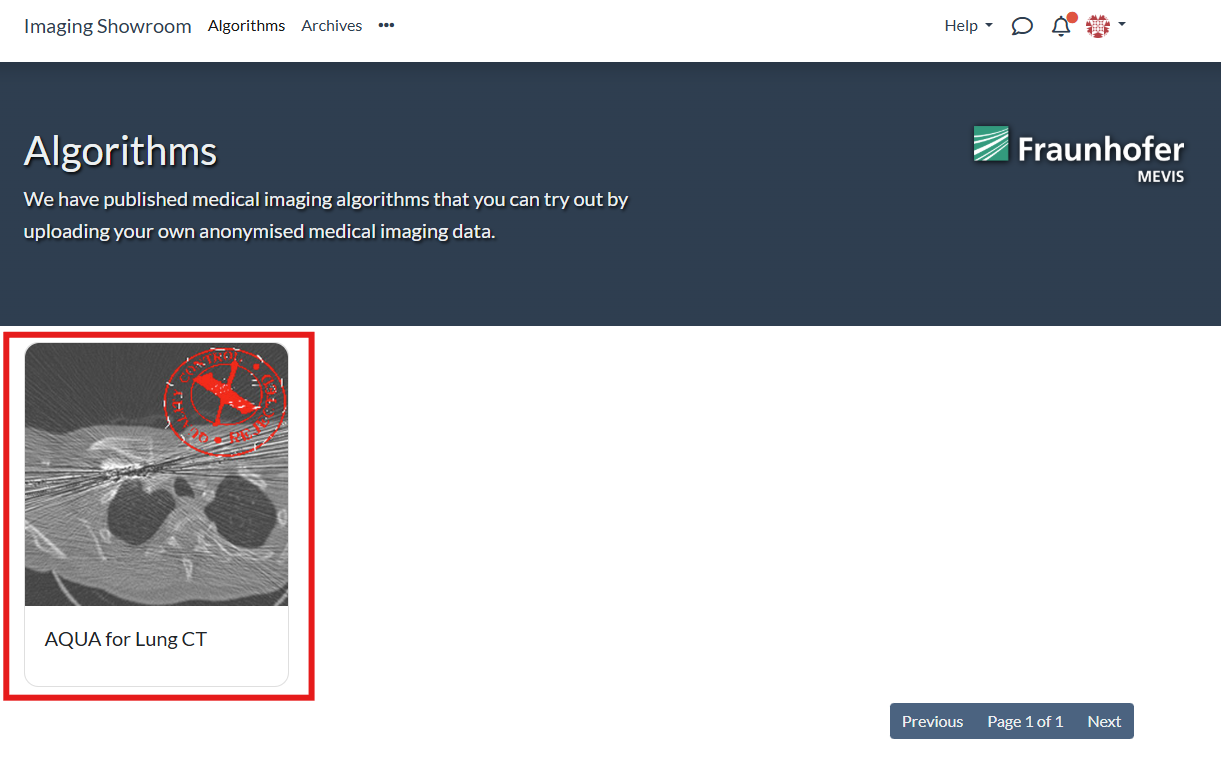
On the algorithms page, select the algorithm that you want to inspect:
-
2
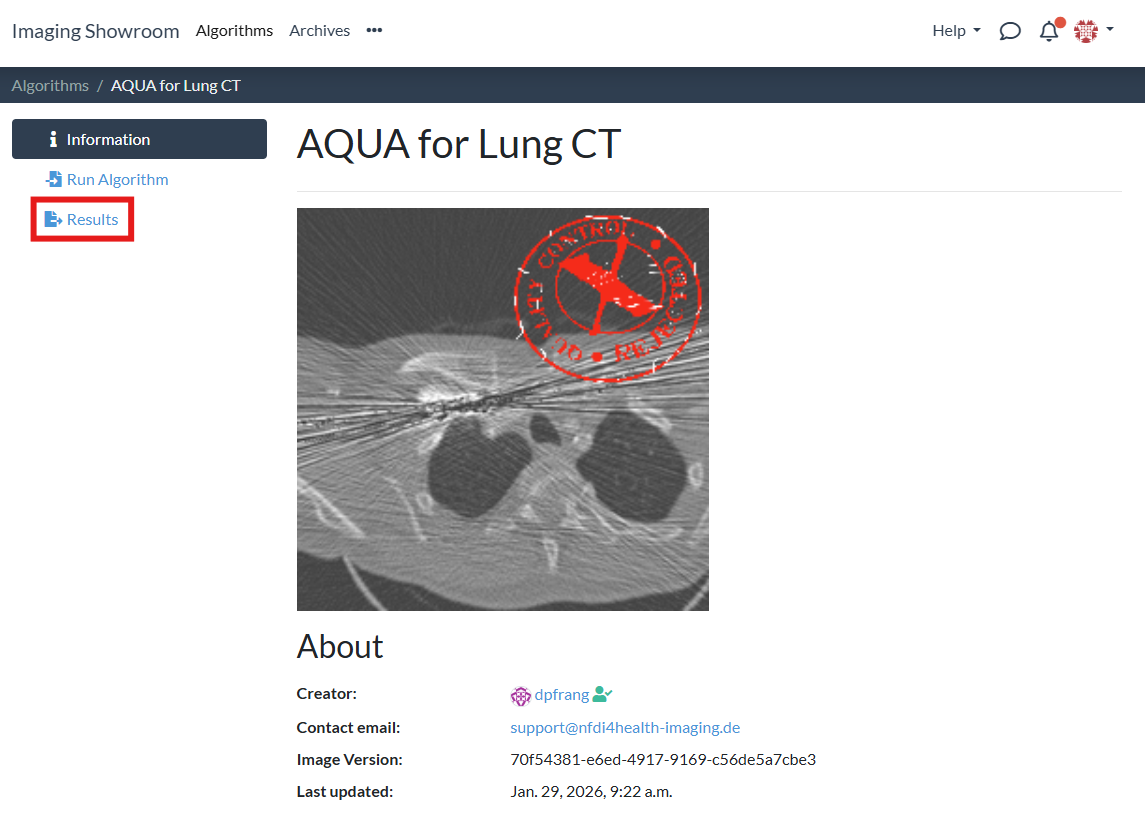
Go to the "Results" tab:
-
3
You will see a results table for the algorithm:
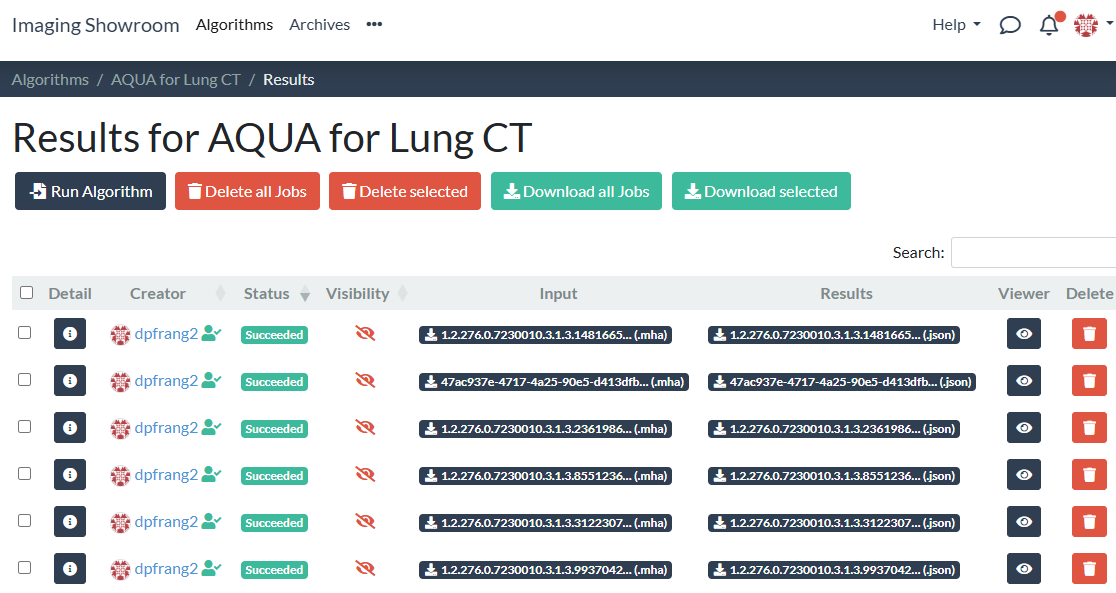
The results table on this page includes all results you are allowed to access:
- results you created by running the algorithm on a single input
- results you created by running the algorithm on an archive
- results that other users explicitly shared with you
- results for inputs from archives that other users explicitly shared with you. It is sufficient to have the "User" role for the archive in order to view algorithm results.
Accessing Algorithm Results for an Archive
In order to inspect algorithm results for a specific archive, you need to do the following:
-
1
On your archive's page, select the "Algorithm Results" tab:
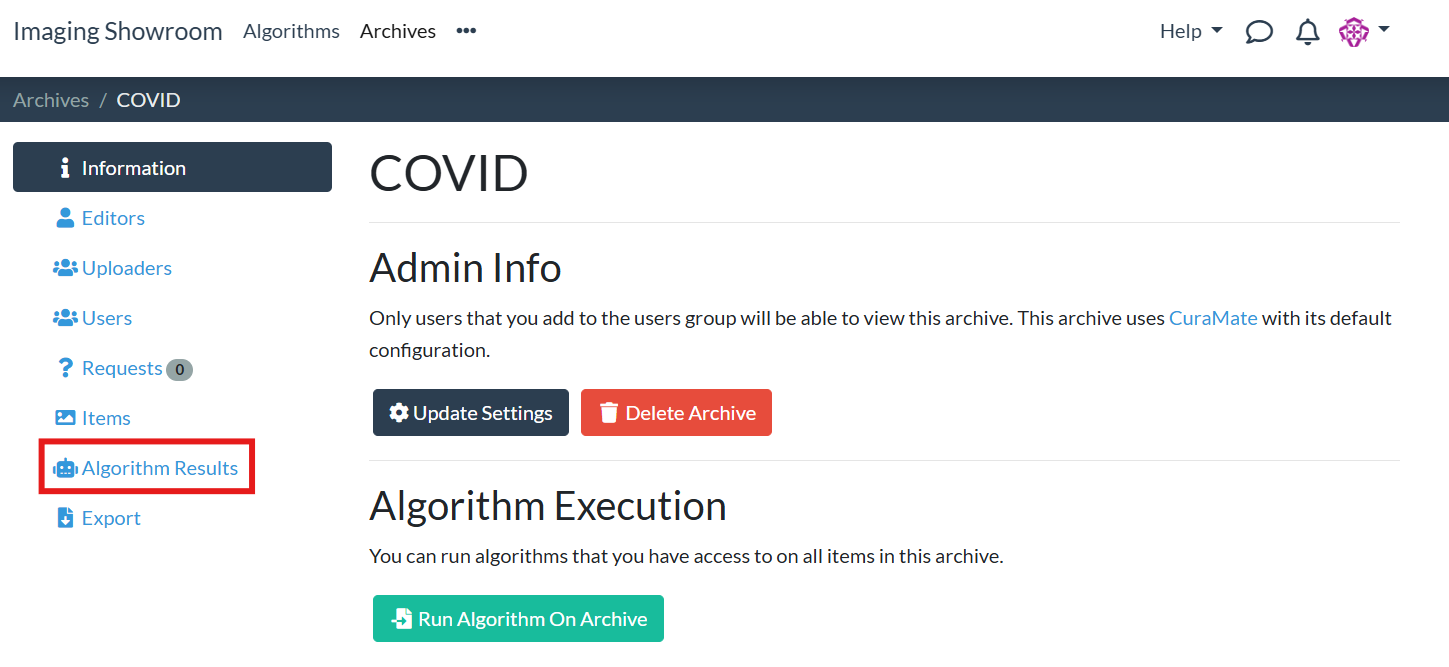
-
2
Select the algorithm for which you want to view the results and click "Show Results":
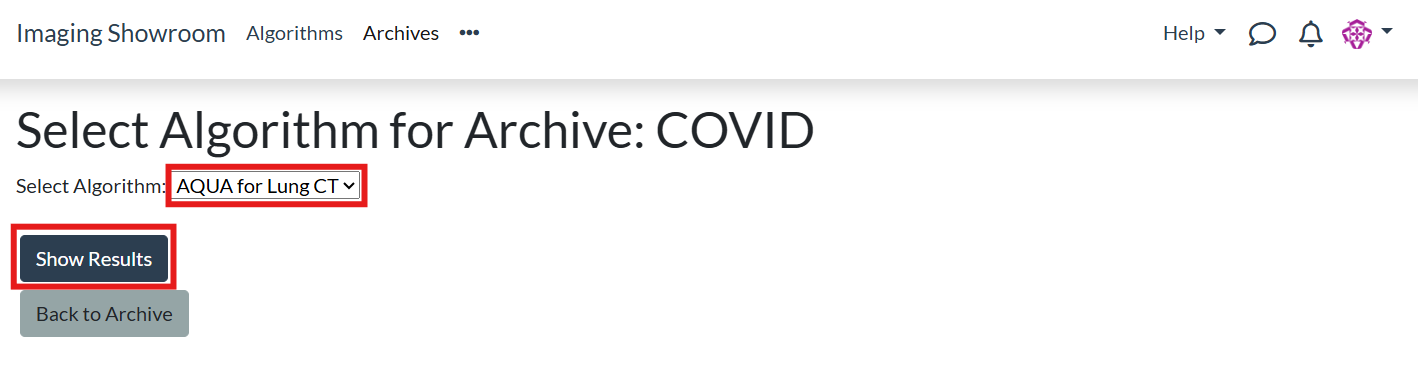
-
3
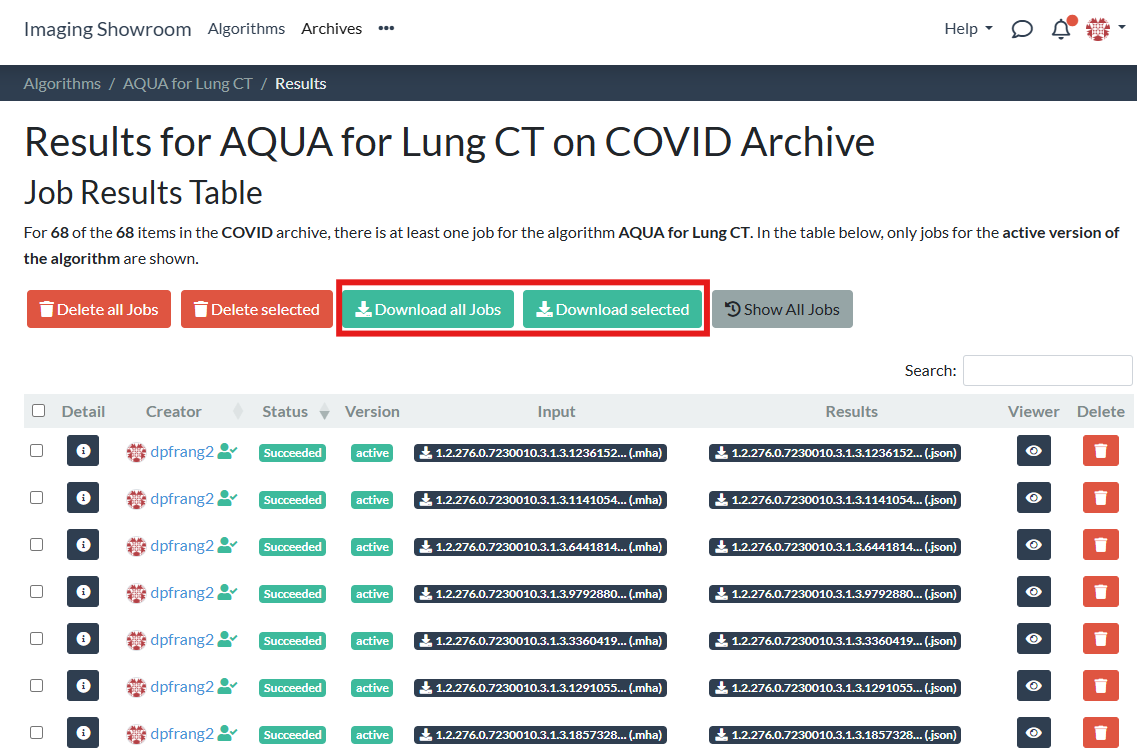
You are redirected to the results page for the given algorithm and archive. There is a results table showing you the current status for each job:
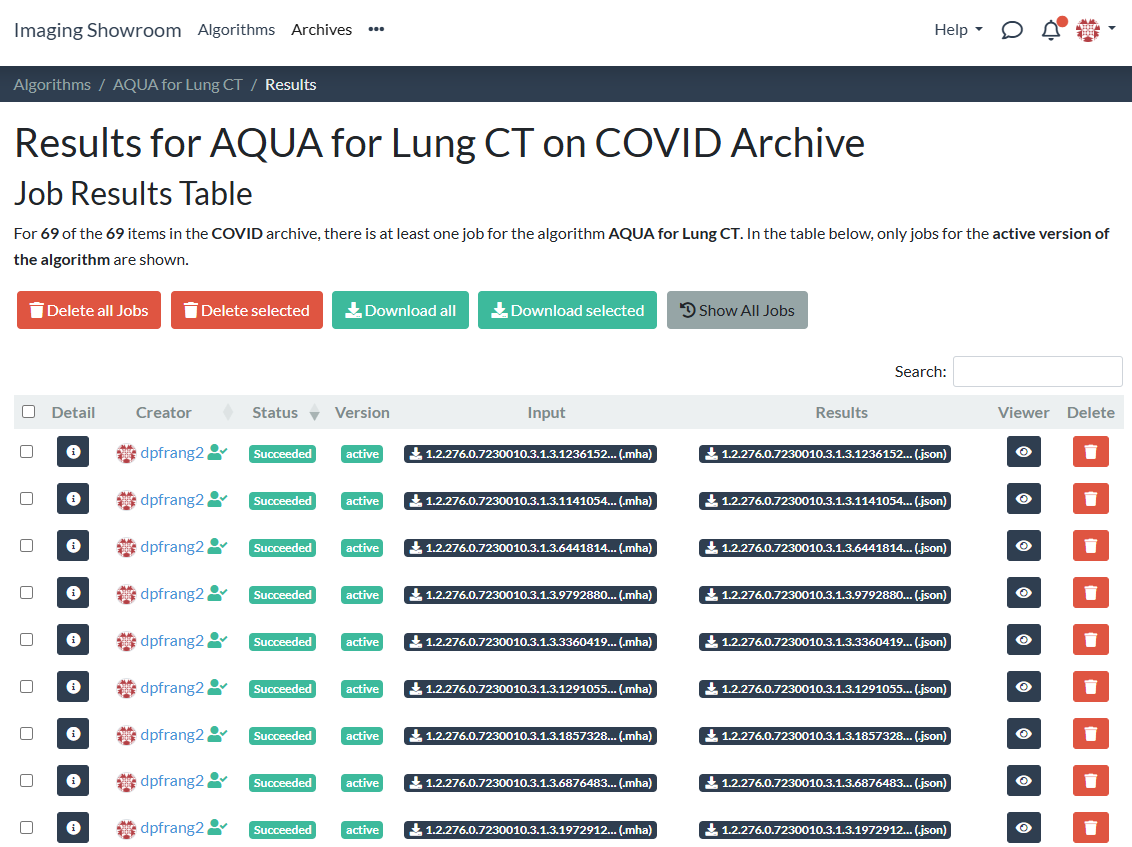
This results table includes only results for data from the selected archive:
- results you created by running the algorithm on the archive
- results other users of the archive created by running the algorithm on the archive
If you can't find the results you are looking for, chances are that the active version of the algorithm has changed (e.g. because a new version of the algorithm has been uploaded to the platform). To display results for all versions of an algorithm, click the "Show All Jobs" button:
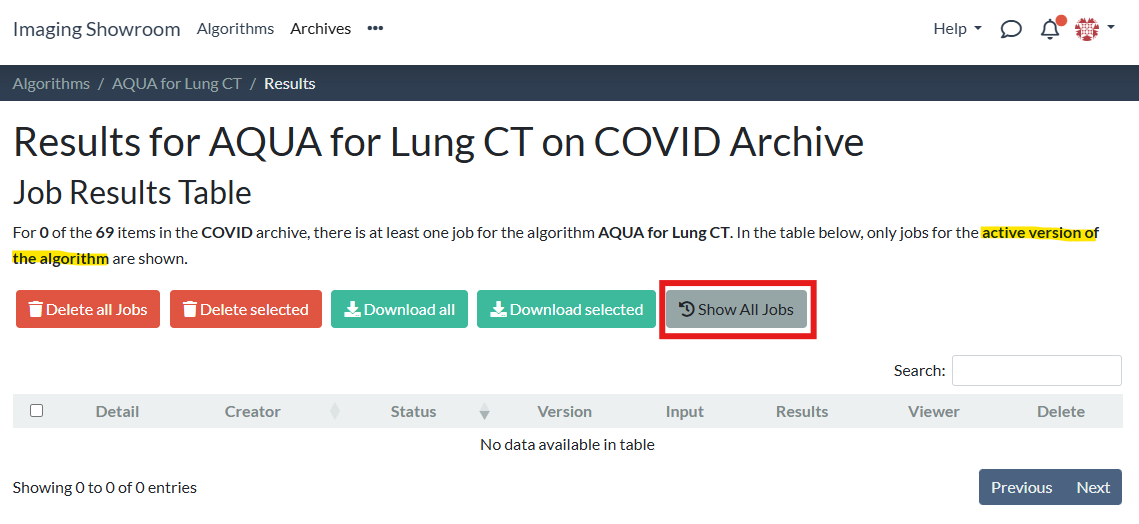
Downloading Algorithm Results
You can download algorithm results as a .zip folder via the "Download all Jobs" and "Download selected" buttons: