Viewing Data from Archives
How to access the CuraMate Workstation
Via the archive (recommended)
-
1
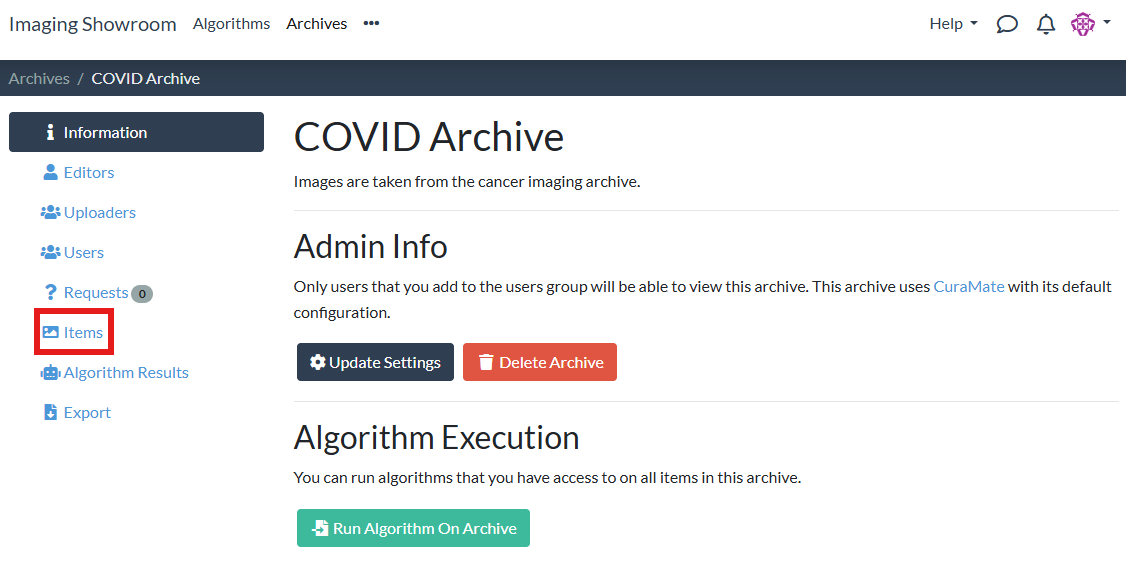
On your archive's page, navigate to the "Items" tab:
-
2
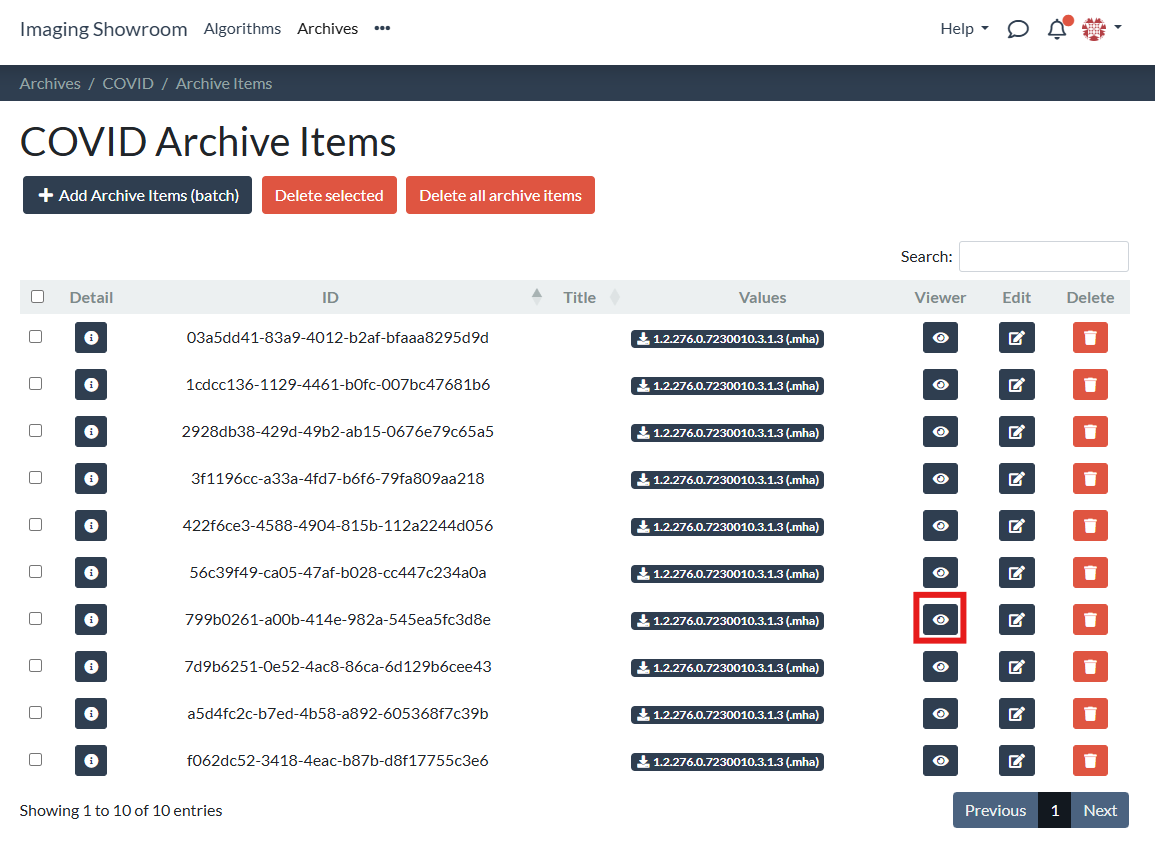
Choose the item you want to inspect and click the "Viewer" button:
-
3
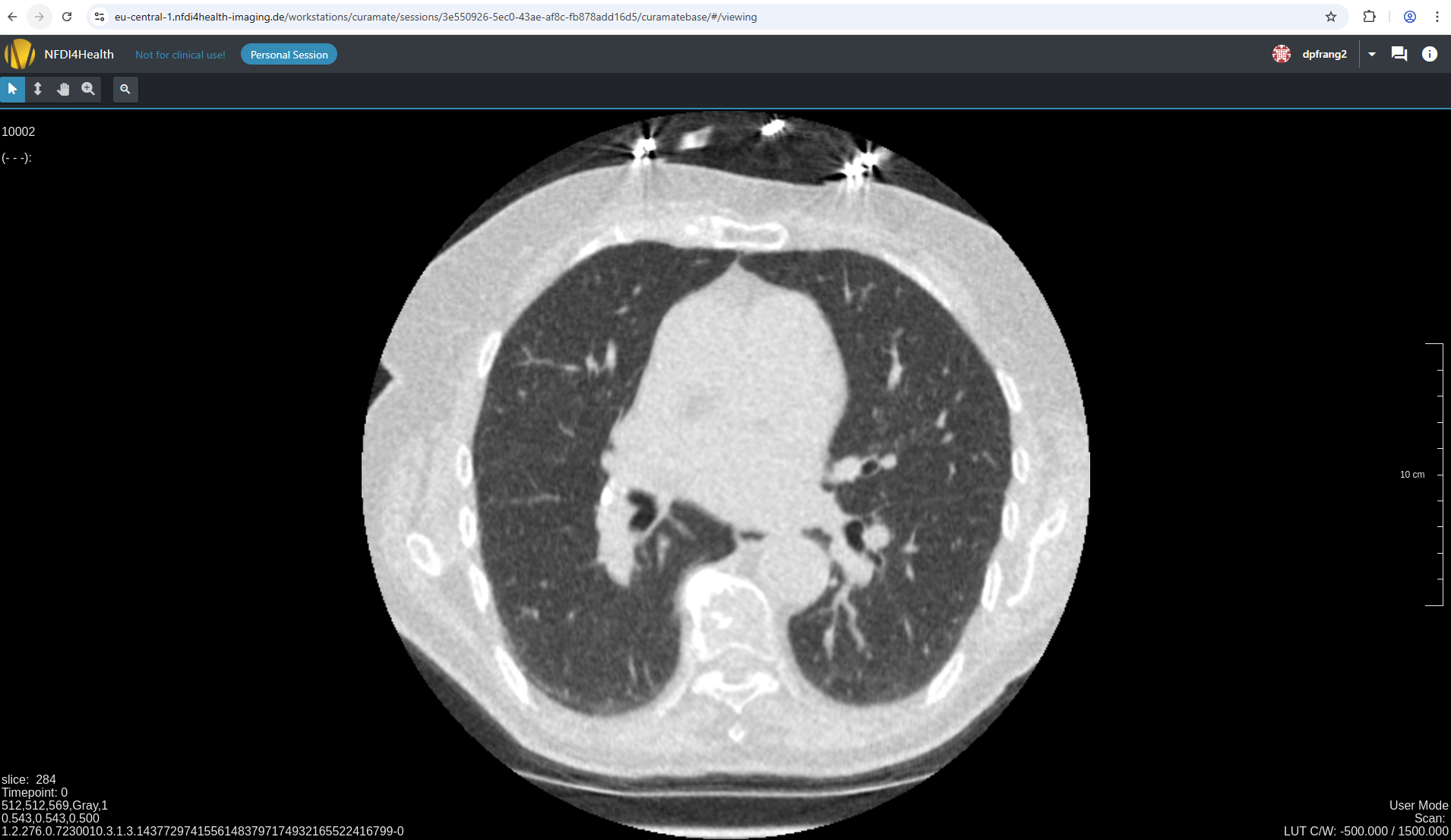
A CuraMate workstation will be started for you in a new tab. Once the loading has finished, you can inspect the image:
Via the upload session
-
1
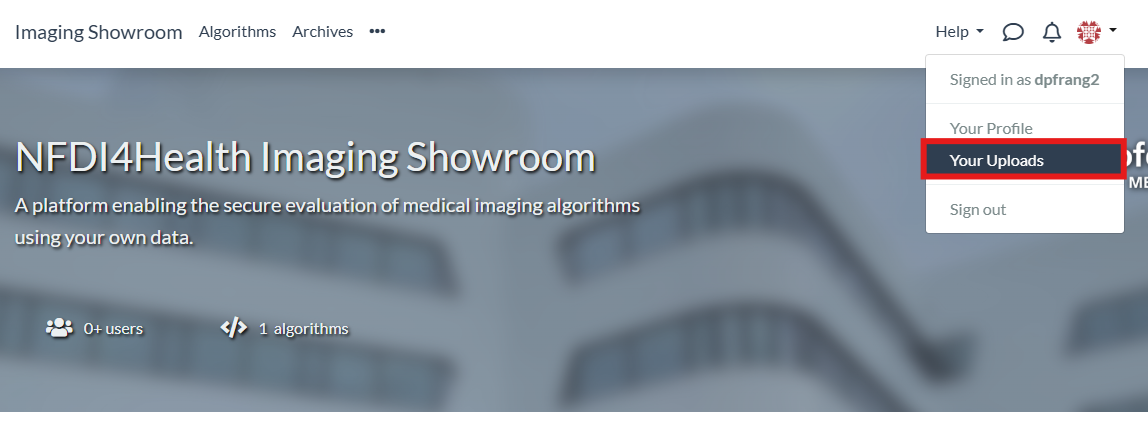
You can also directly view images via upload sessions. For this, navigate to "Your Uploads" and select an upload session:
-
2
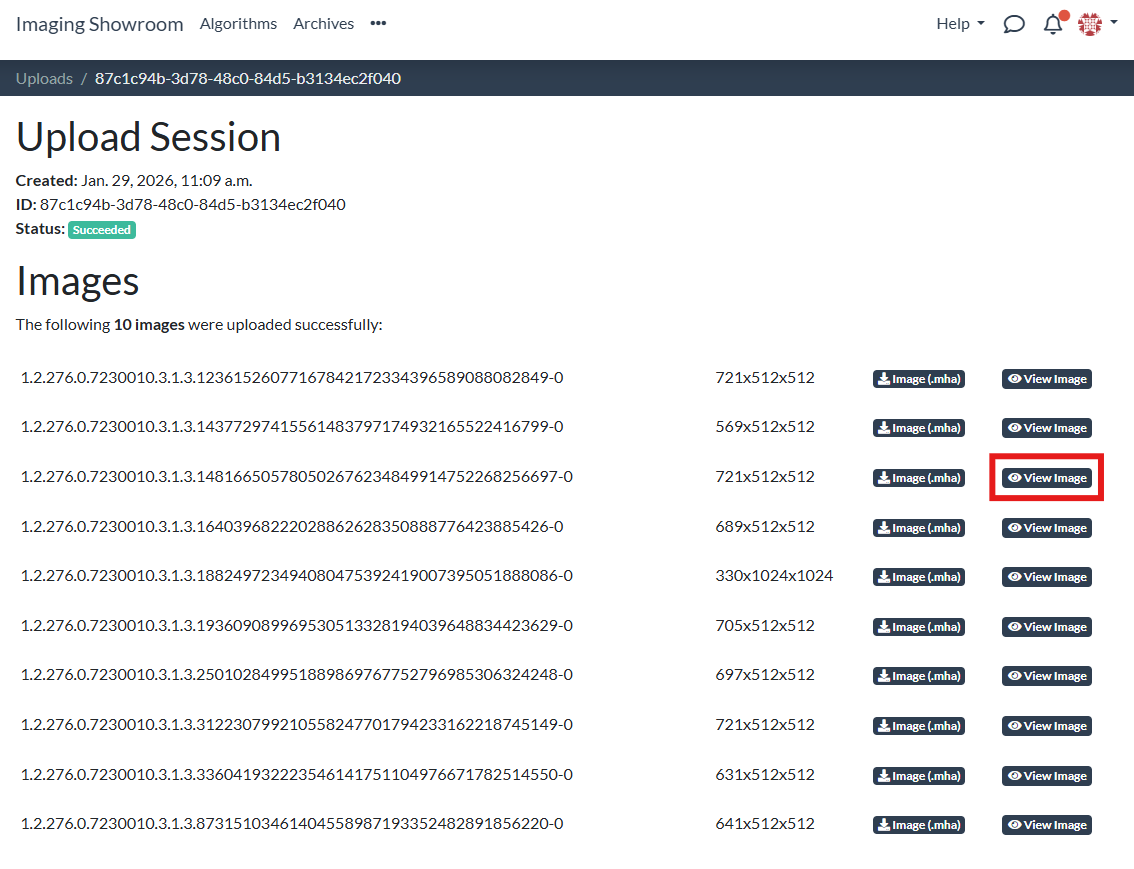
Click the "View Image" button next to the image you want to inspect:
-
3
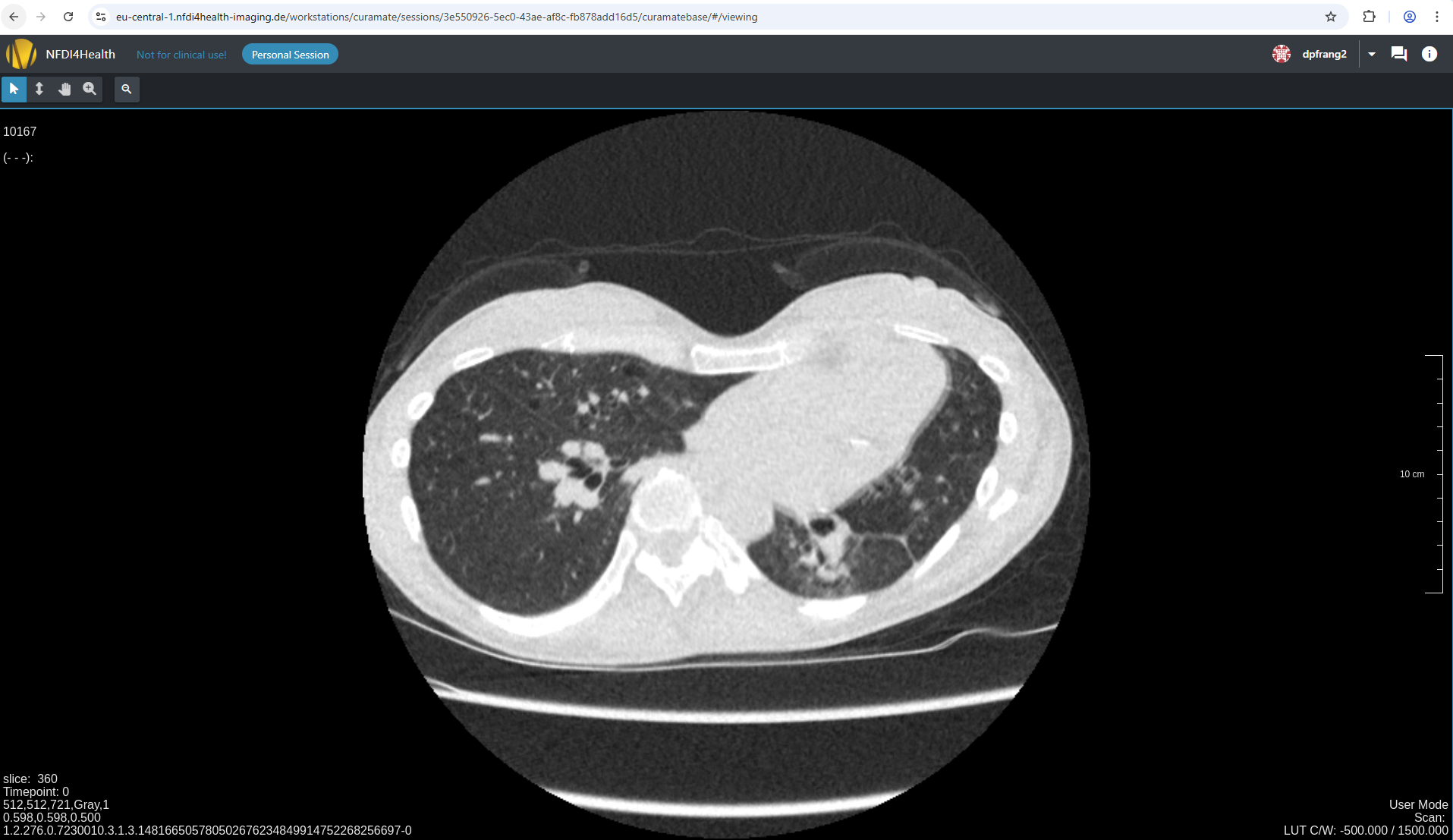
A CuraMate workstation will be started for you in a new tab. Once the loading has finished, you can inspect the image:
How to use the CuraMate Workstation
See the documentation on how to use the CuraMate workstation.