Deleting Archive Items and Archives
Deleting an archive or archive items is irreversible. When deleting an archive item, you also delete all associated data. This includes:
- The underlying medical image data.
- Algorithm results, if algorithms have been executed on this archive item.
- The entry for this archive item from the corresponding upload session (instead, a "has been deleted" entry is added).
Deleting Archive Items
In order to delete items from an archive, navigate to your archive and open the "Items" tab. You have several options to delete archive items.
Single Archive Item
-
1
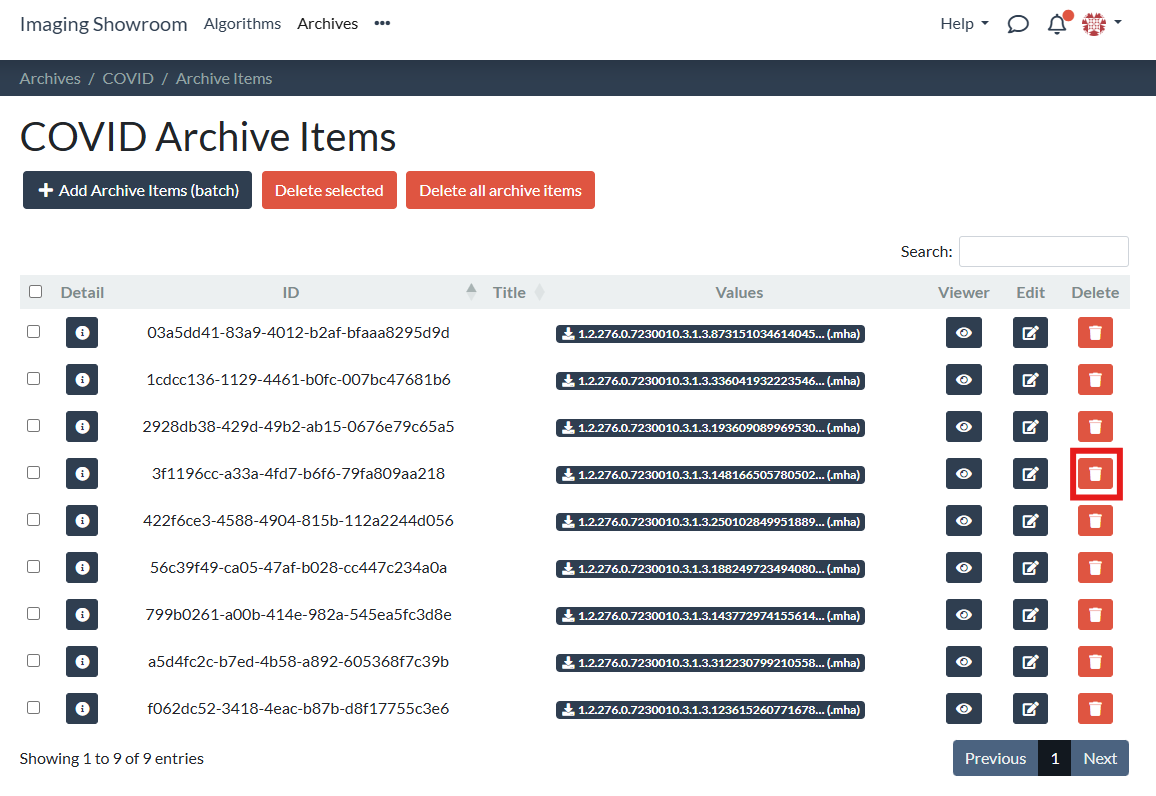
Click on the trash icon for the archive item you want to delete:
-
2
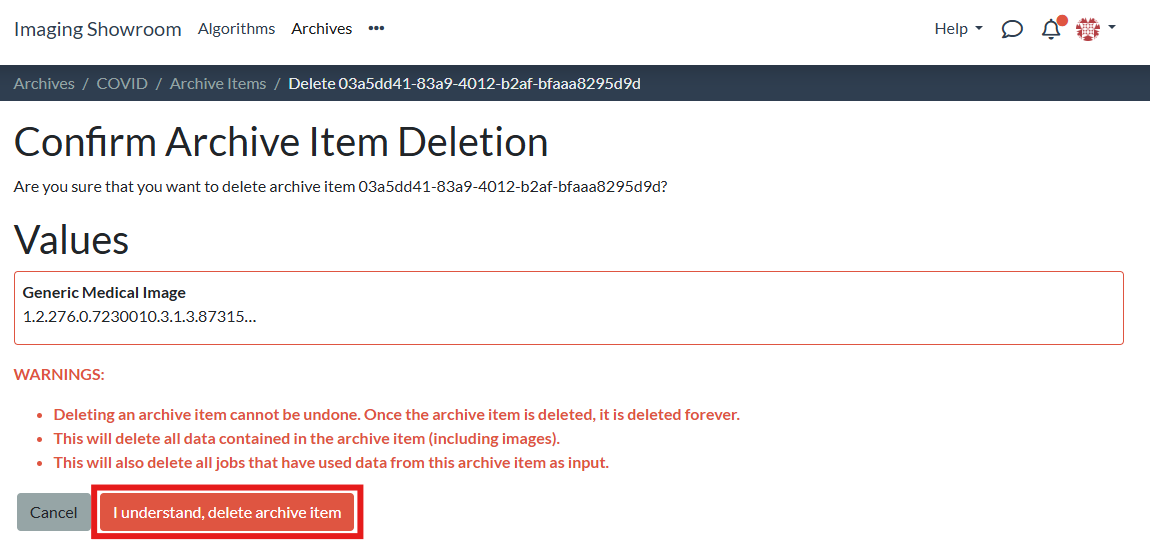
Confirm deletion:
Selected Archive Items
-
1
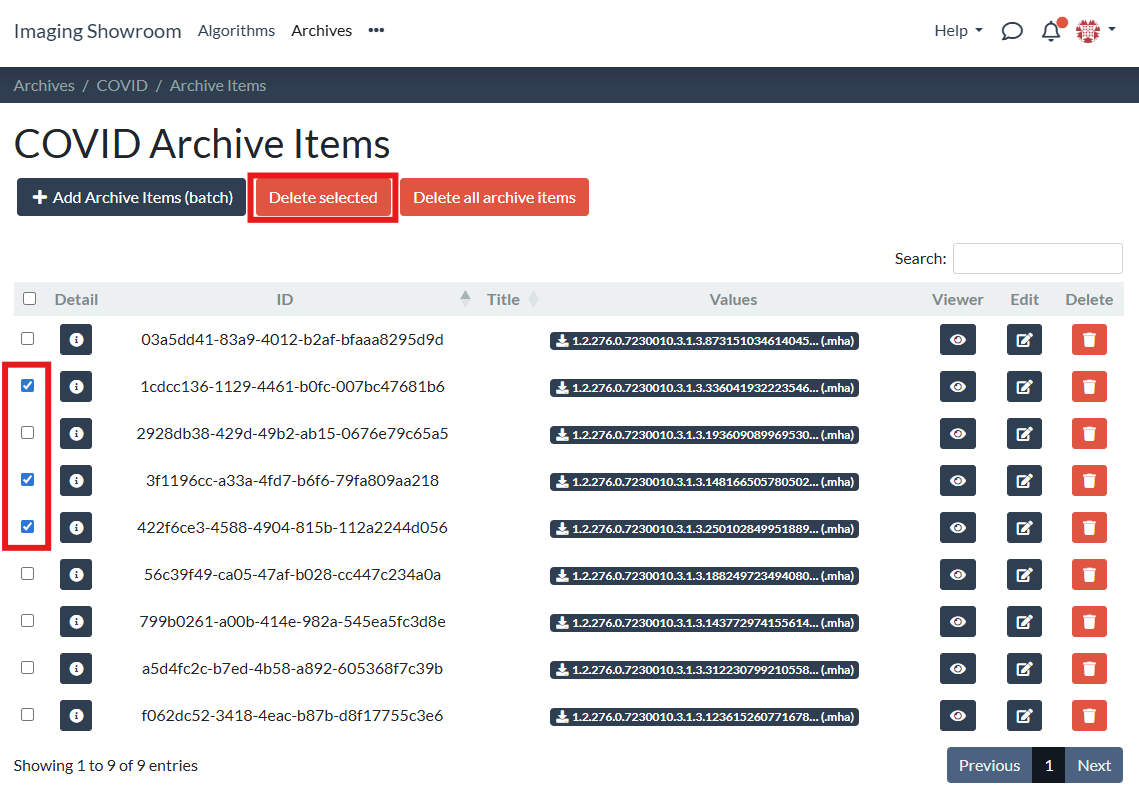
Mark the checkboxes for those items you want to delete and click "Delete selected":
-
2
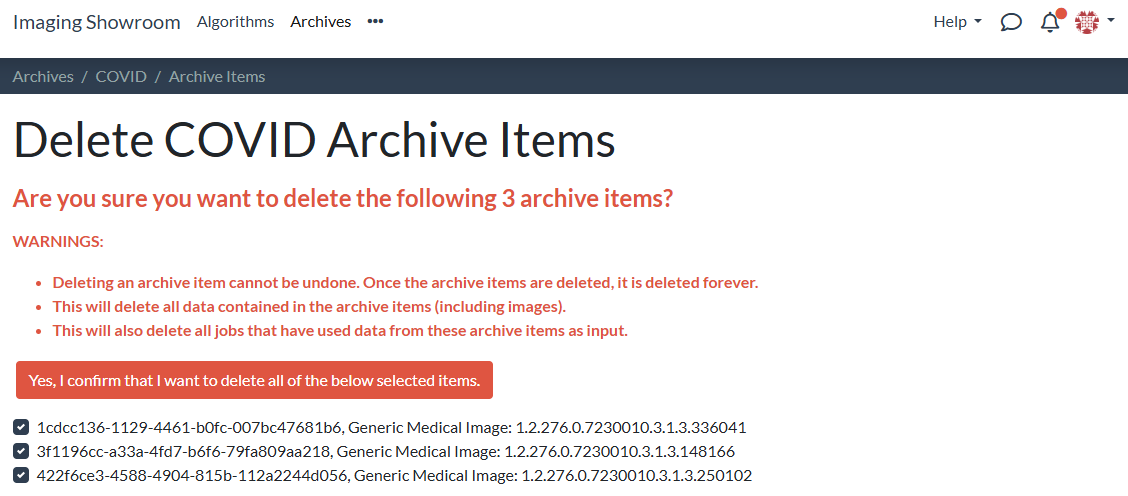
Confirm deletion:
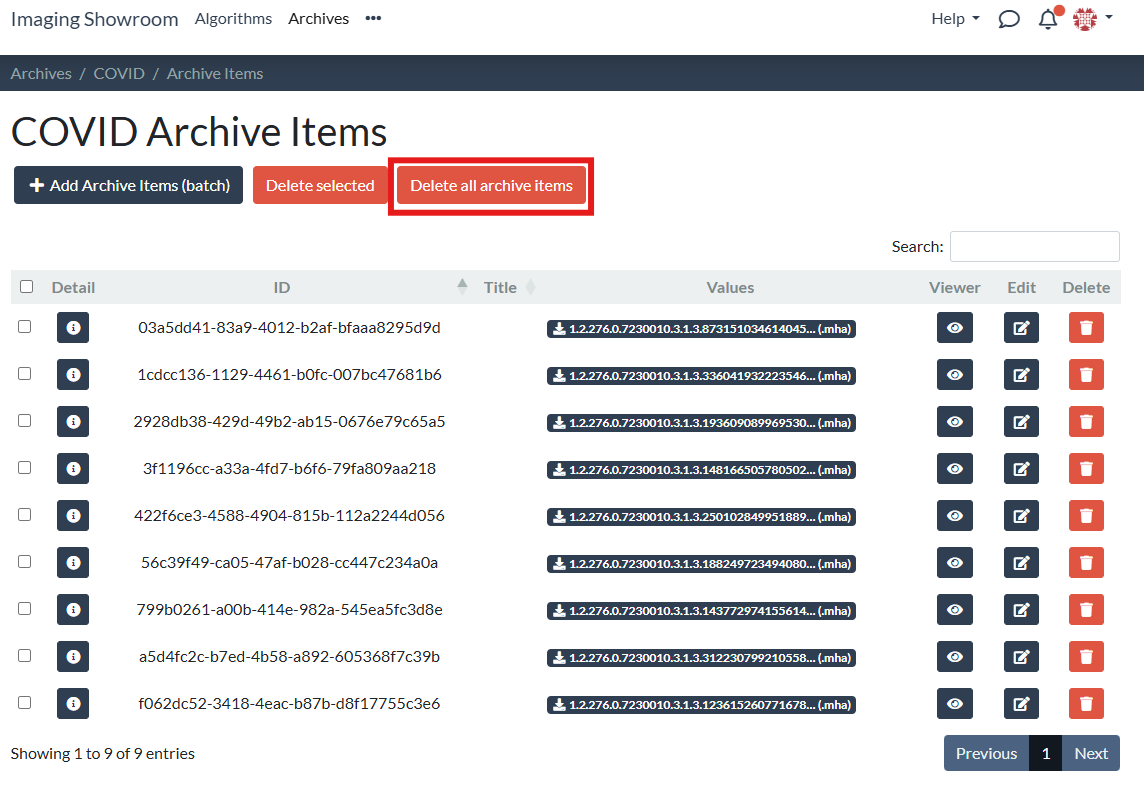
All Archive Items
-
1
Click on "Delete all archive items":
-
2
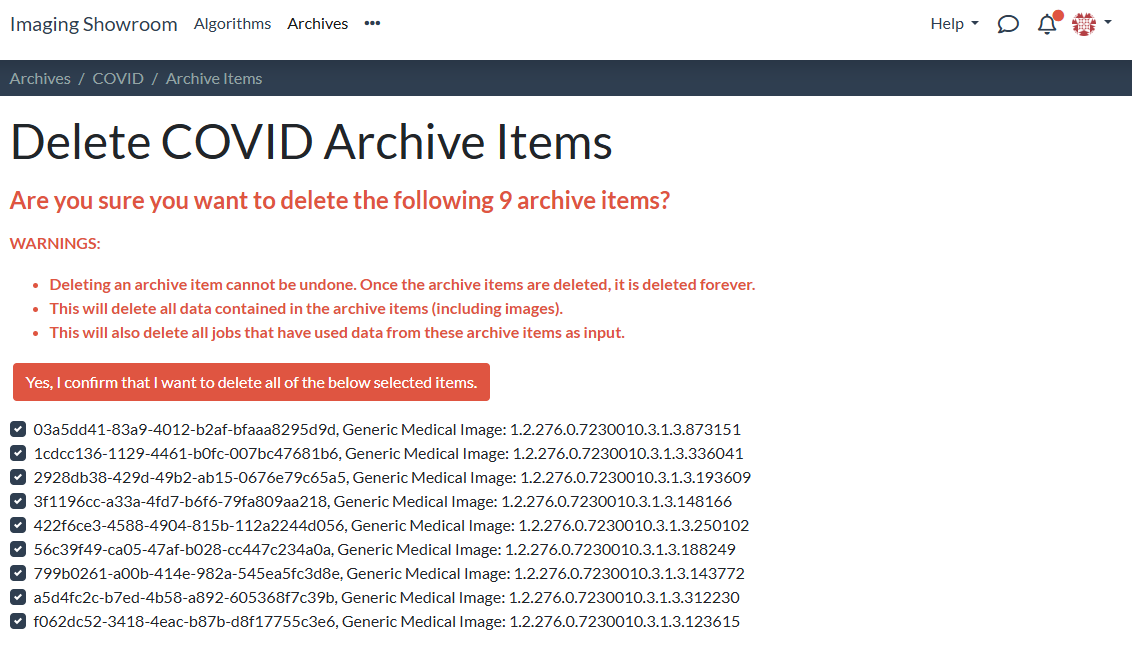
Confirm deletion:
Deleting your archive
Deleting an archive will also delete all its archive items.