Archives
An archive is a collection of archive items, which in turn are medical images optionally supplemented with meta-data. An archive is thus meant for storing data. Archives can be linked to algorithms in order to batch execute an algorithms on all items from an archive and collectively view and download results.
How to create an archive
You need to be verified before you are allowed to create archives. Go to the archives page to create a new archive. Then, follow these steps:
-
1
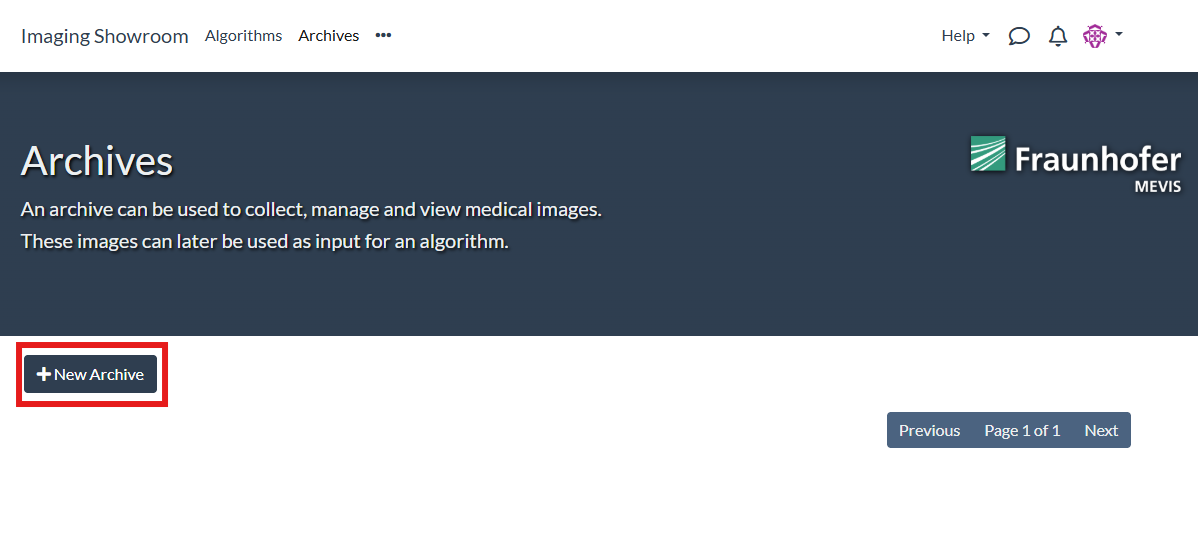
Click on the "New archive" button:
-
2
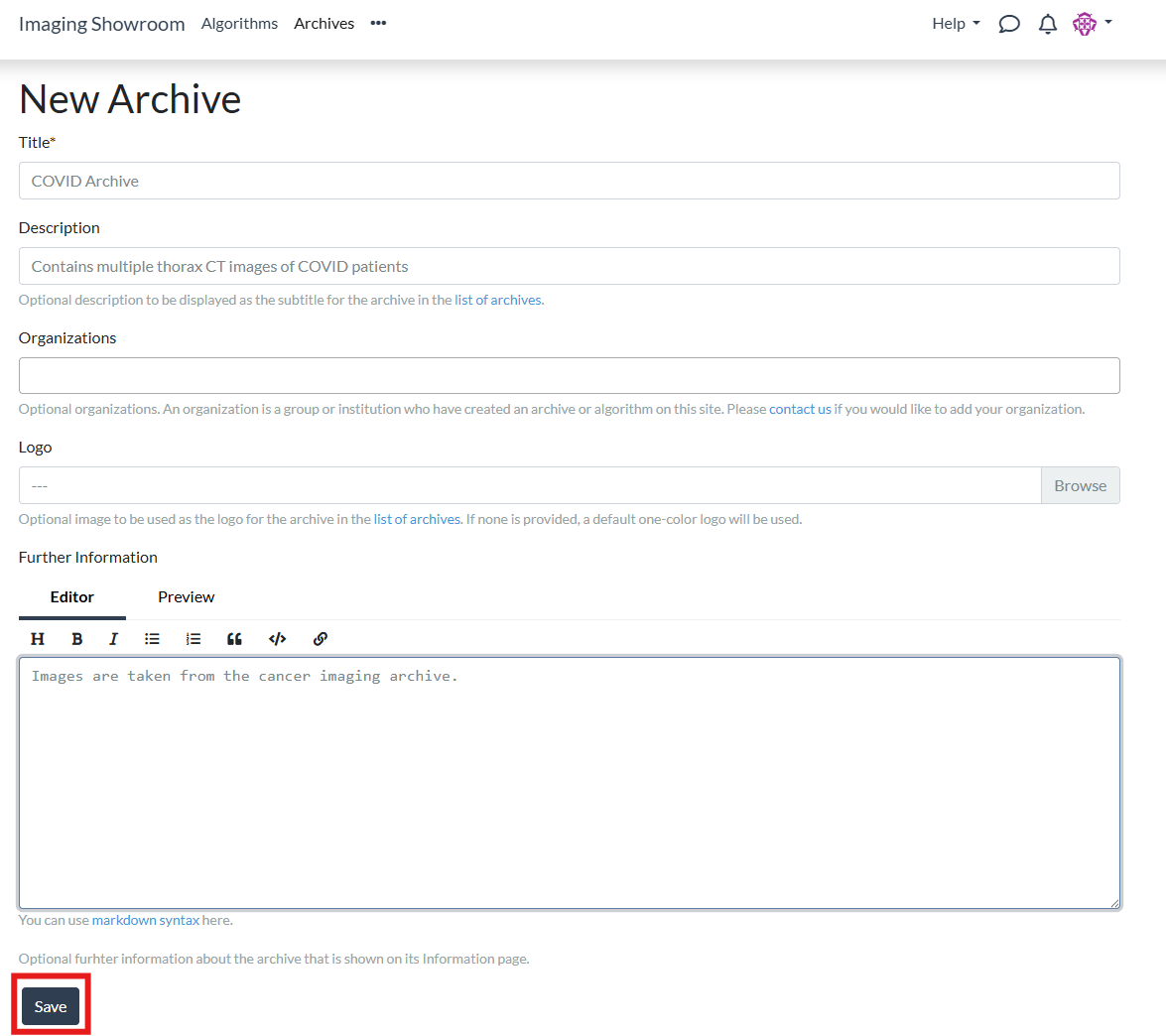
Fill in the form. The only mandatory field is a name for the archive. Optionally, you can provide further information and upload a logo.
-
3
After your archive has been created, you can find it on the [archives page](/archives):
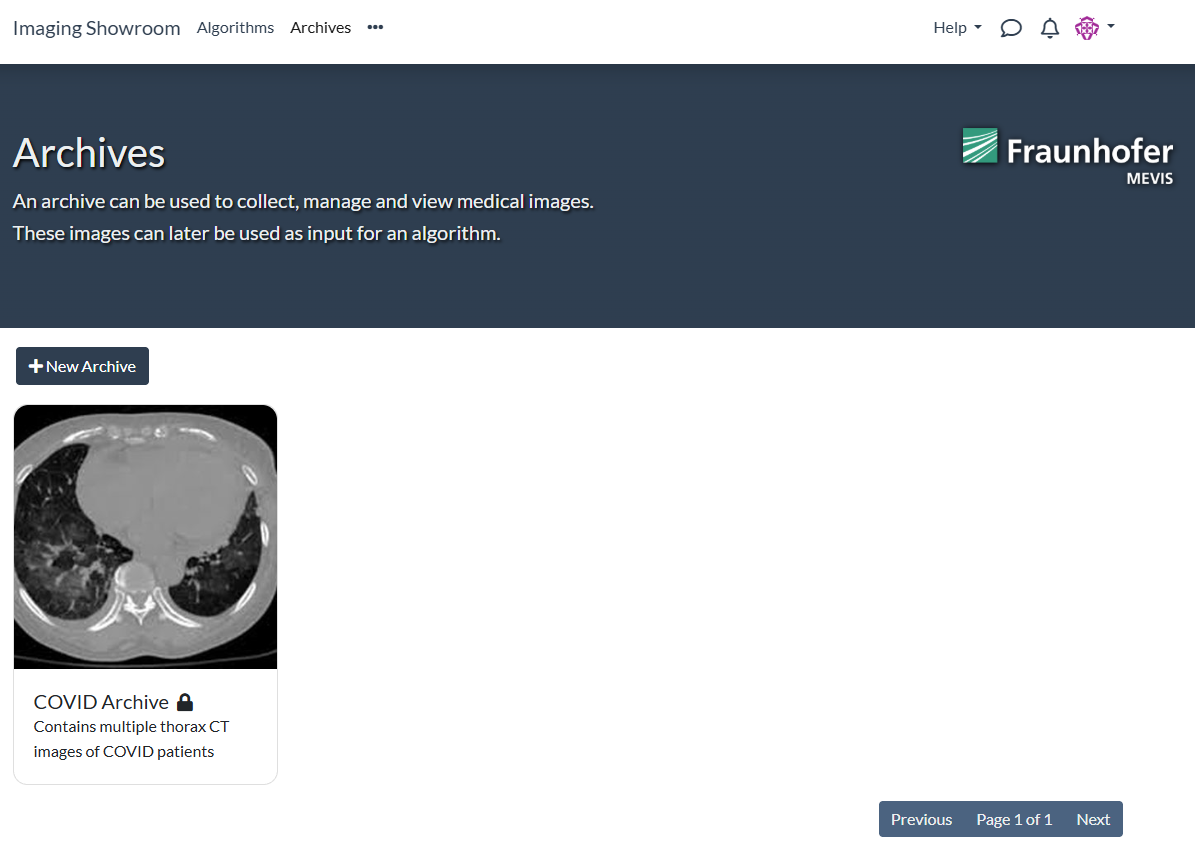
The archive and its contents are only visible to you. Other users cannot see the archive or access its content unless you explicitly grant them permissions. In principle, admin users can access your content but may only do so if this is required for administrative purposes. See the Terms of Service for further information.