Run Algorithm on Archive
Prerequisites
Before you can run an algorithm, you need to
- register
- get verified
- request access to the algorithm
- have access to the archive on which you want to run the algorithm ("User" role is sufficient, see user roles for archives). You can also create your own archive and upload data to your archive.
Configuration
Via the algorithms page
- 1
-
2
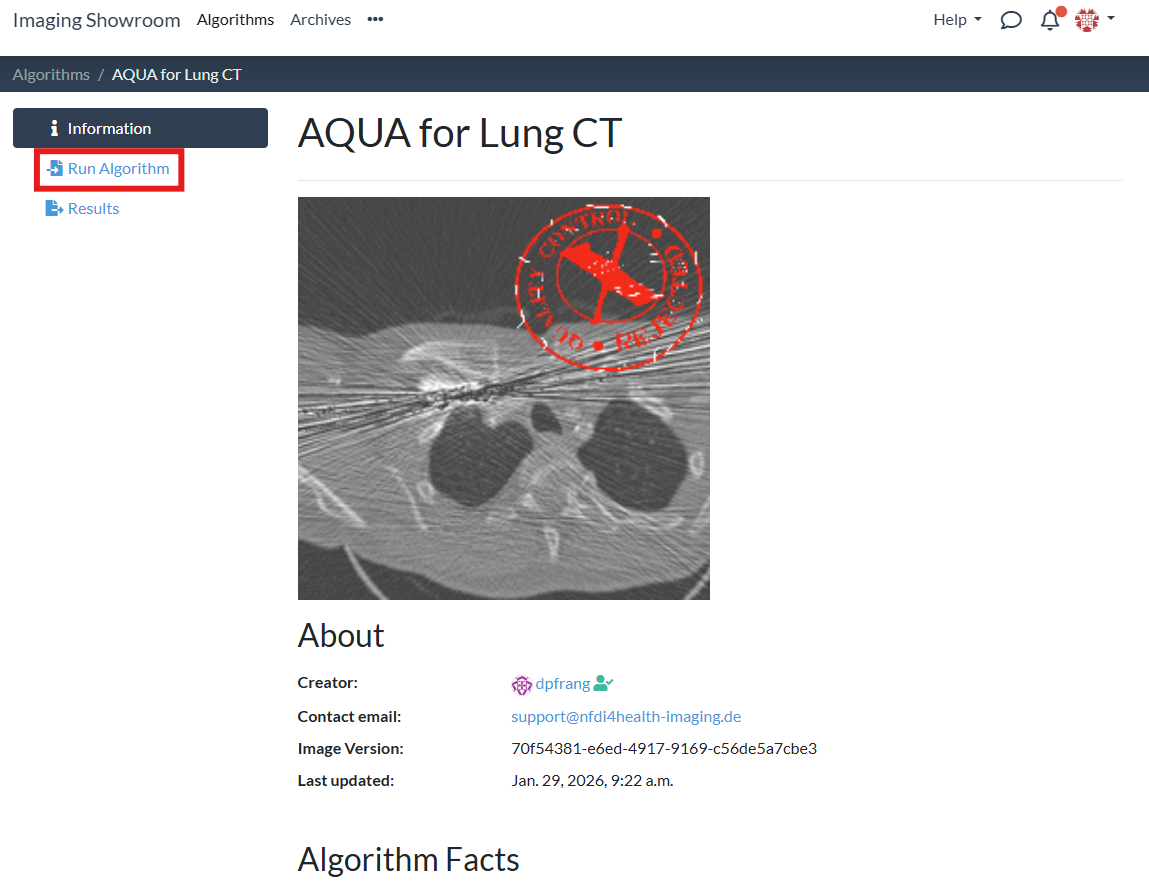
Navigate to the "Run Algorithm" tab:
-
3
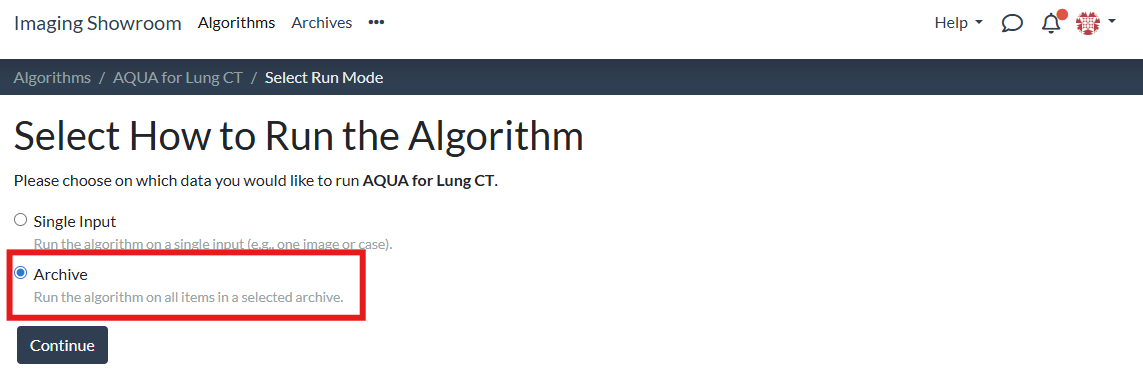
Select "Archive" and click the "Continue" button:
-
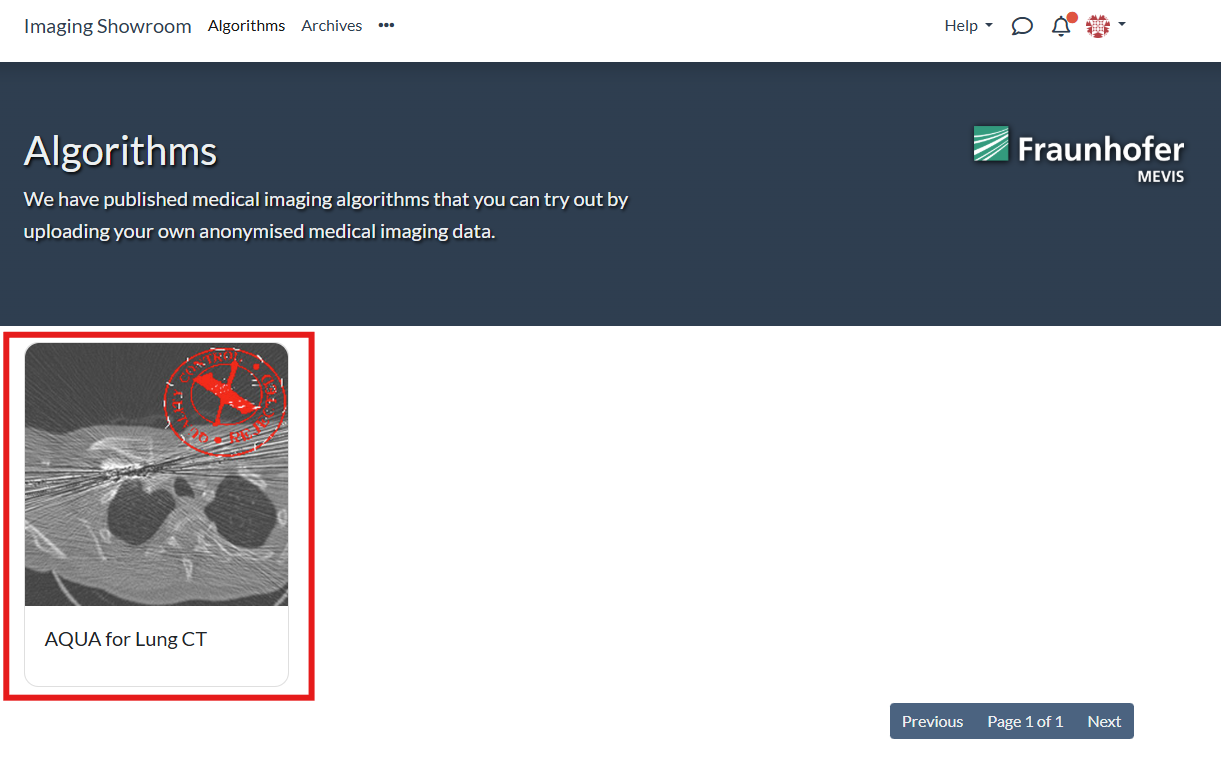
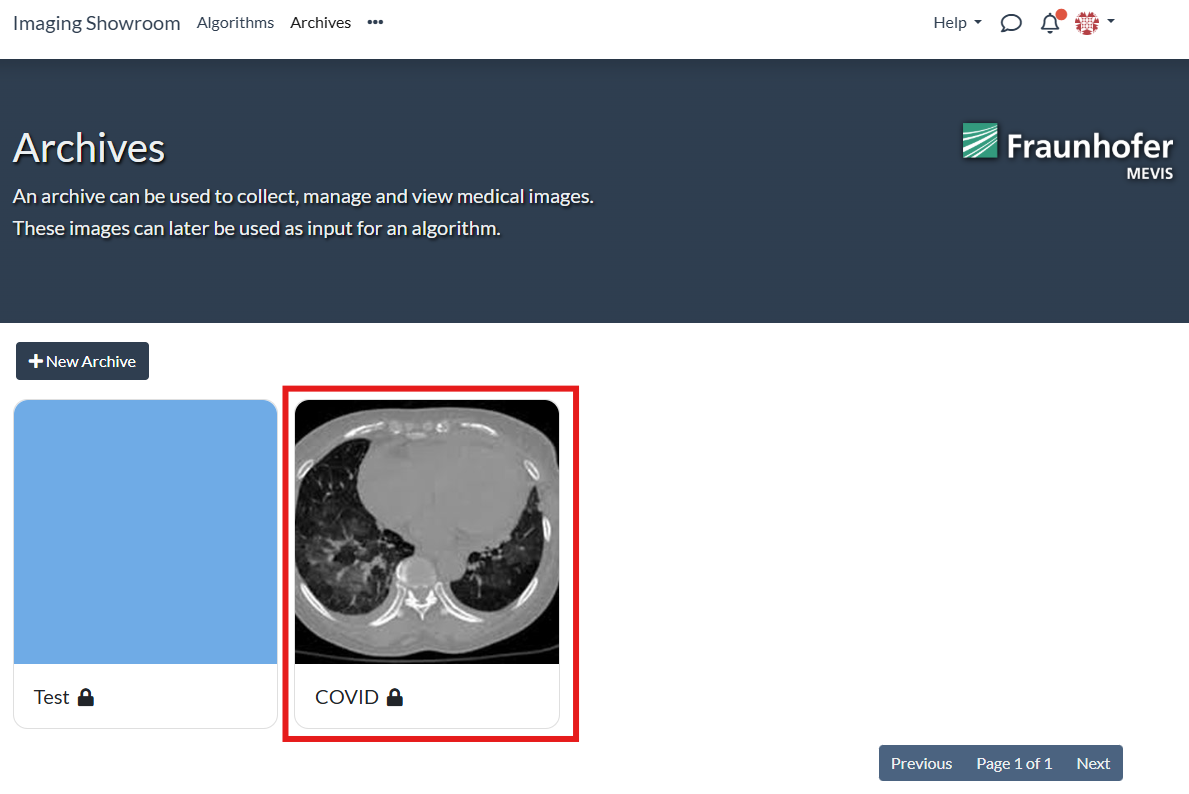
4
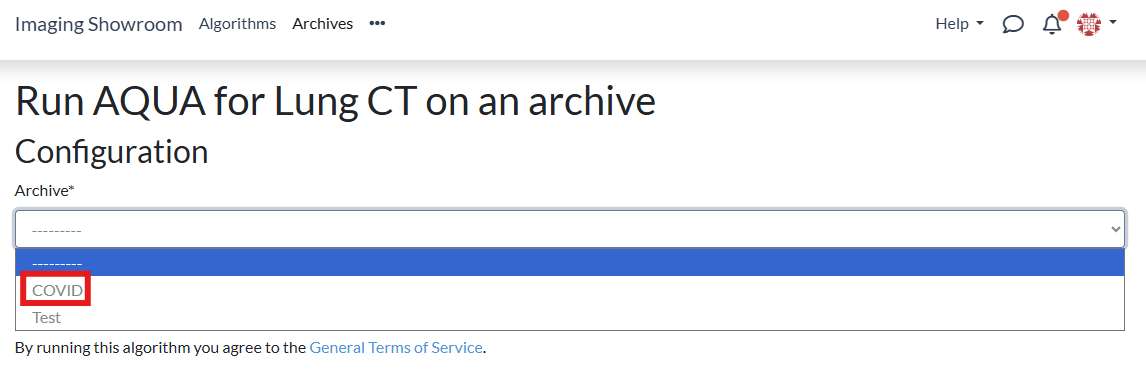
Choose the archive on which you want to run the algorithm:
Via the archive's page
- 1
-
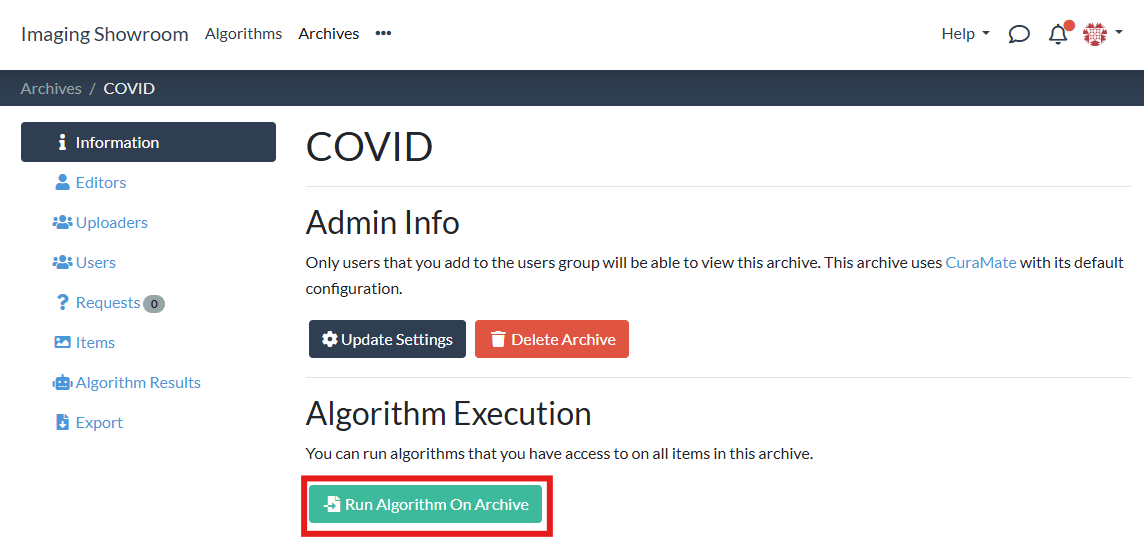
2
Click the "Run Algorithm On Archive" button:
-
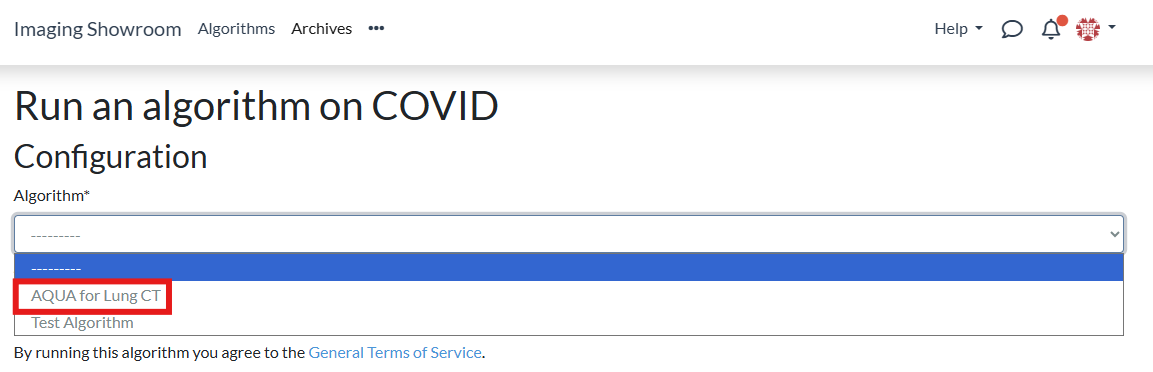
3
Choose the algorithm you want to run on your archive:
Pre-Run Checks
No matter if you did the configuration starting from the algorithm or starting from the archive, once both the algorithm and archive have been selected some pre-run checks are done:
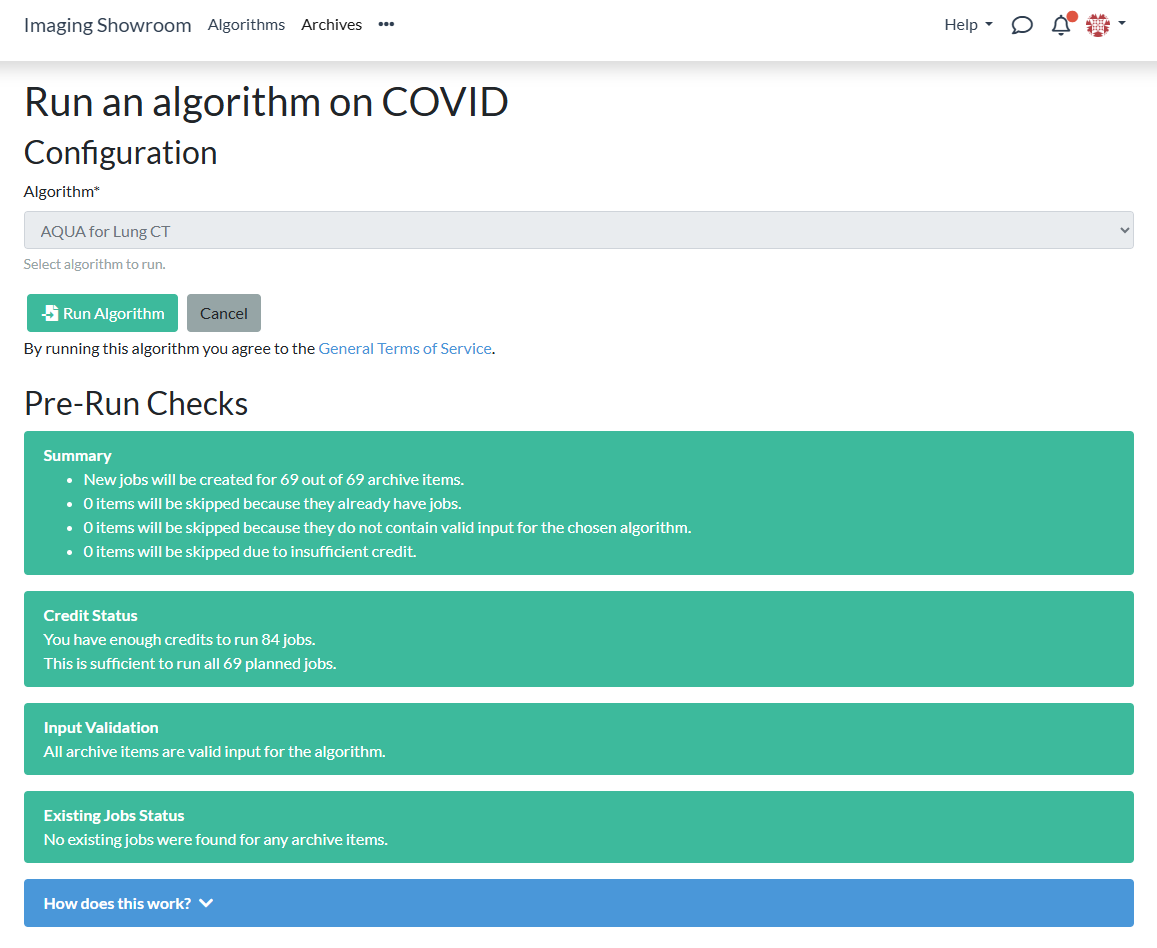
If the pre-run checks determine that no new jobs would be created, the "Run Algorithm" button remains deactivated and you see an error message:
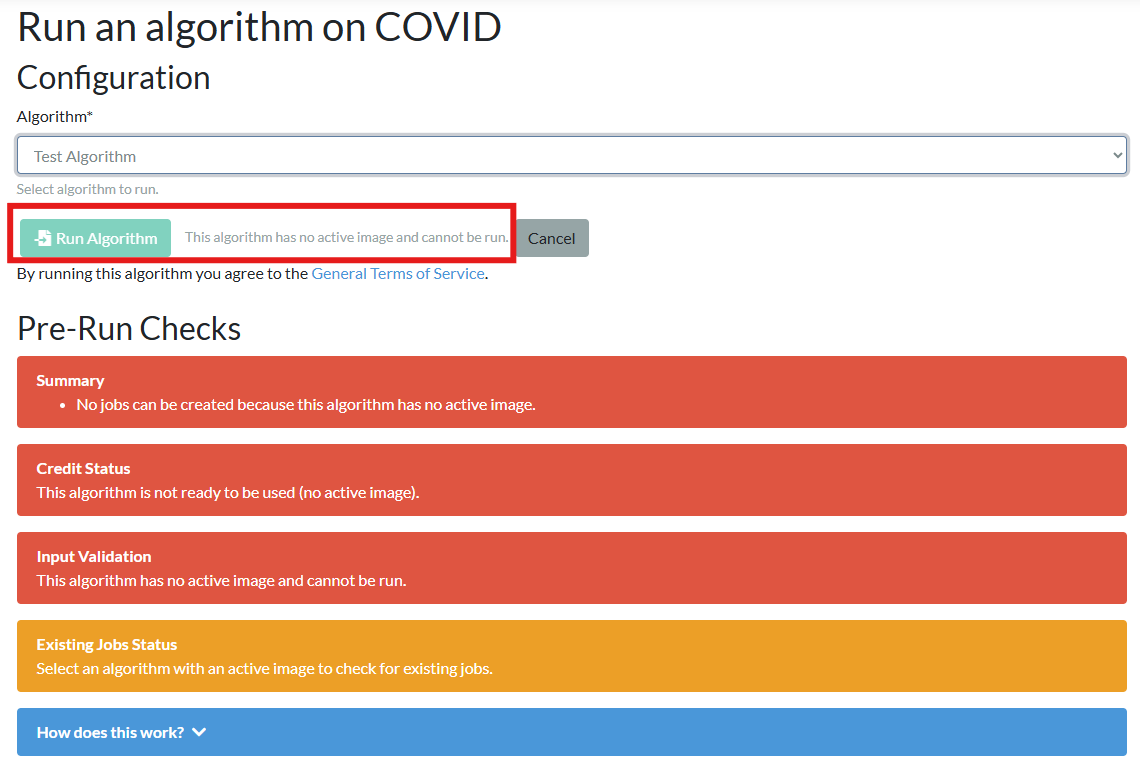
Let us look at the pre-run checks in more detail.
Summary

Tells you for how many of the items contained in the archive new jobs would be created. If items are skipped, it tells you why items are skipped.
Credit Status

Checks if you have sufficient credits to run the algorithm on all archive items. If you don't have sufficient credit for all archive items, you can still create as many jobs as you can afford.
Input Validation

Checks if the content of the archive items fits as input to the algorithm.
Existing Jobs Status

Checks if the algorithm has already been executed for some of the archive items. New jobs are only created if there is no existing job for an archive item. However, if the algorithm has been updated to a new versions, jobs are created for an archive item even if results exist for an older version of the algorithm.
Running the Algorithm
If the pre-run checks are successful (meaning that running the algorithm would result in at least one new job being created), you can run the algorithm:
-
1
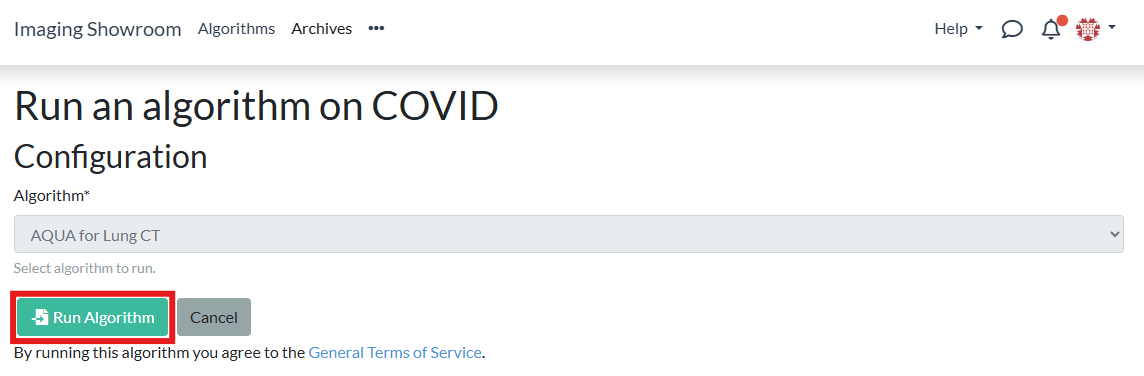
Click the "Run Algorithm" button:
-
2
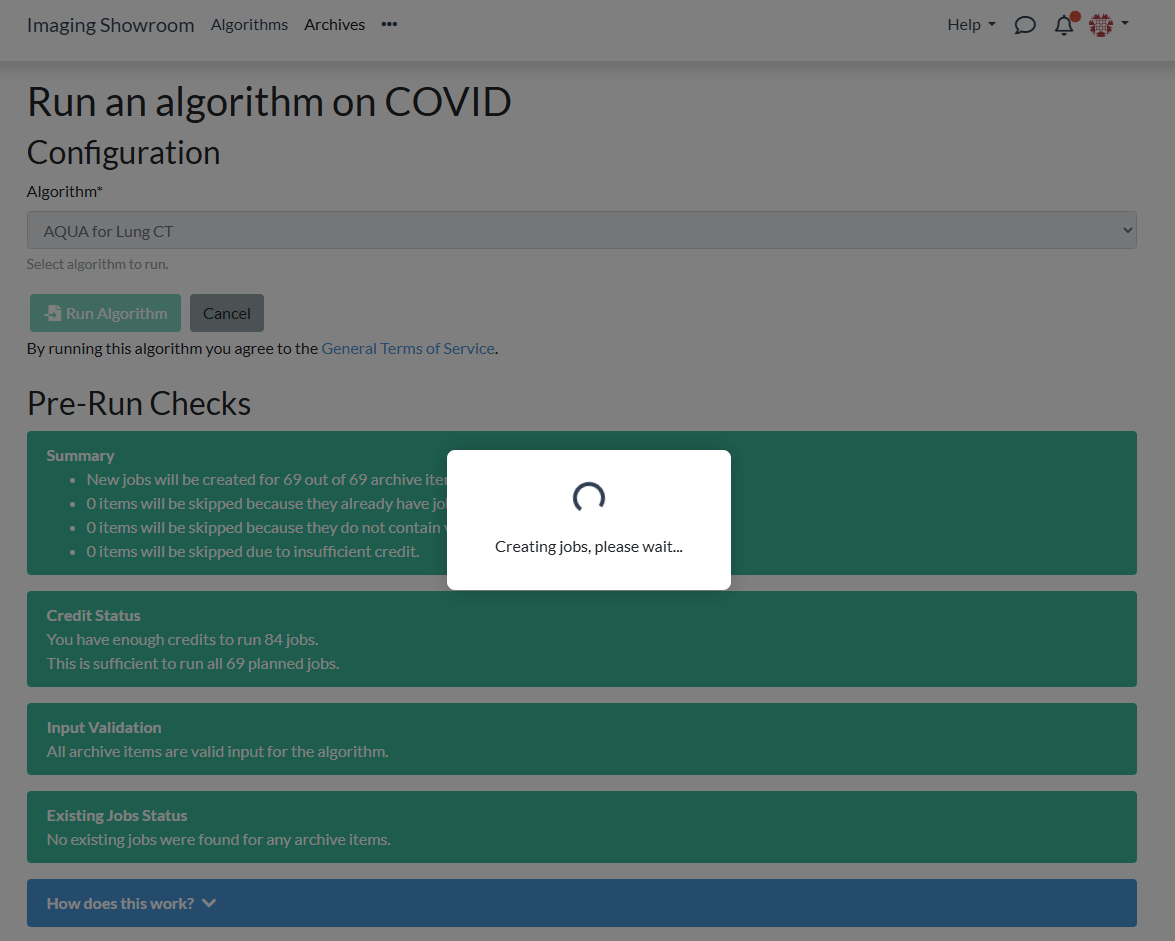
New jobs are created. This can take a few minutes:
-
3
You are redirected to the results page for the given algorithm and archive. There is a results table showing you the current status for each job:
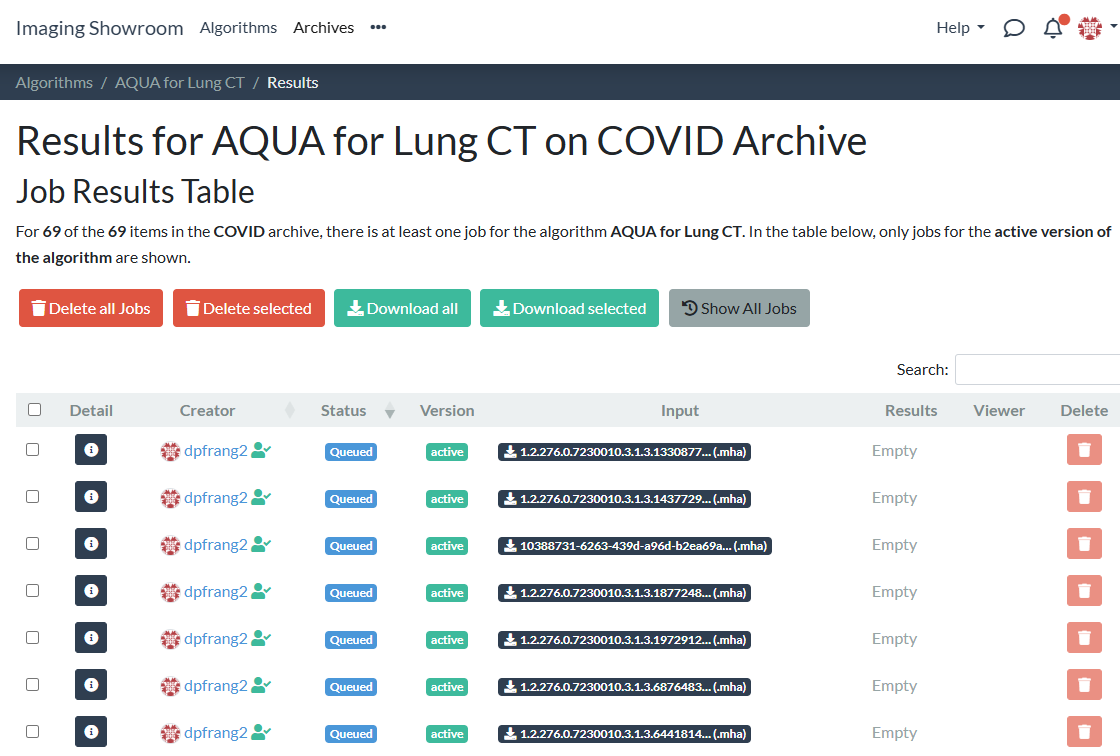
Jobs are processed in the background. Depending on the number of jobs that are currently running on the platform, it might take a while until all jobs are finished.
Monitoring Job Status
You can always come back to the results page for a given archive and algorithm:
-
1
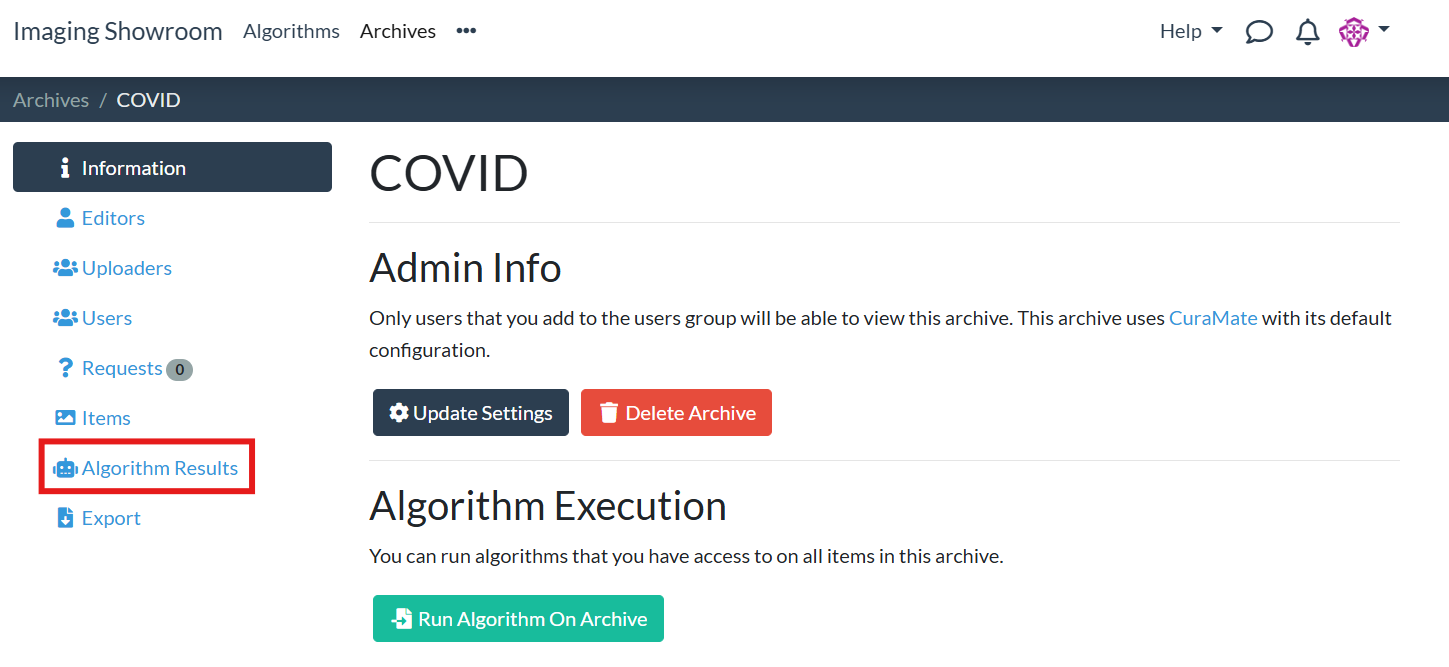
On your archive's page, select the "Algorithm Results" tab:
-
2
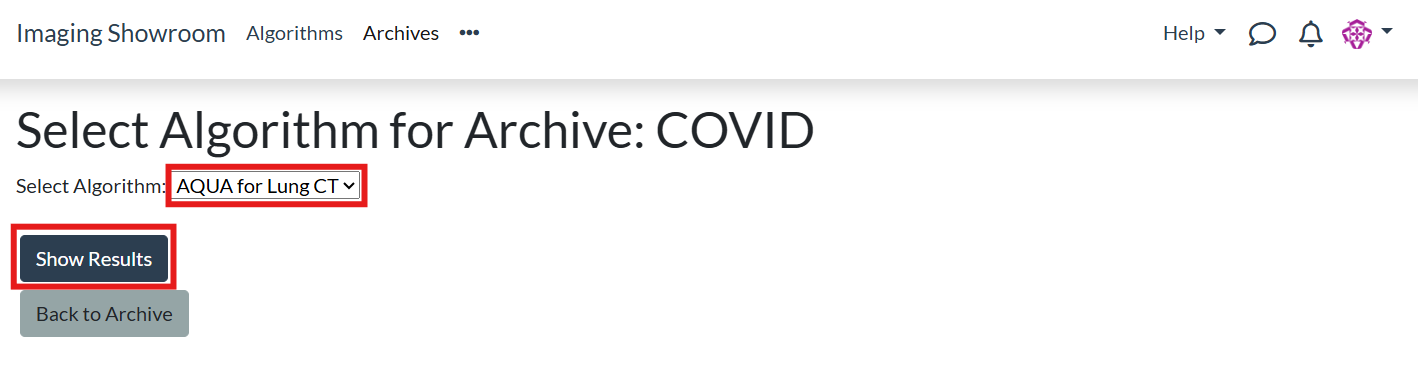
Select the algorithm for which you want to view the results and click "Show Results":
-
3
You are redirected to the results page for the given algorithm and archive. There is a results table showing you the current status for each job:
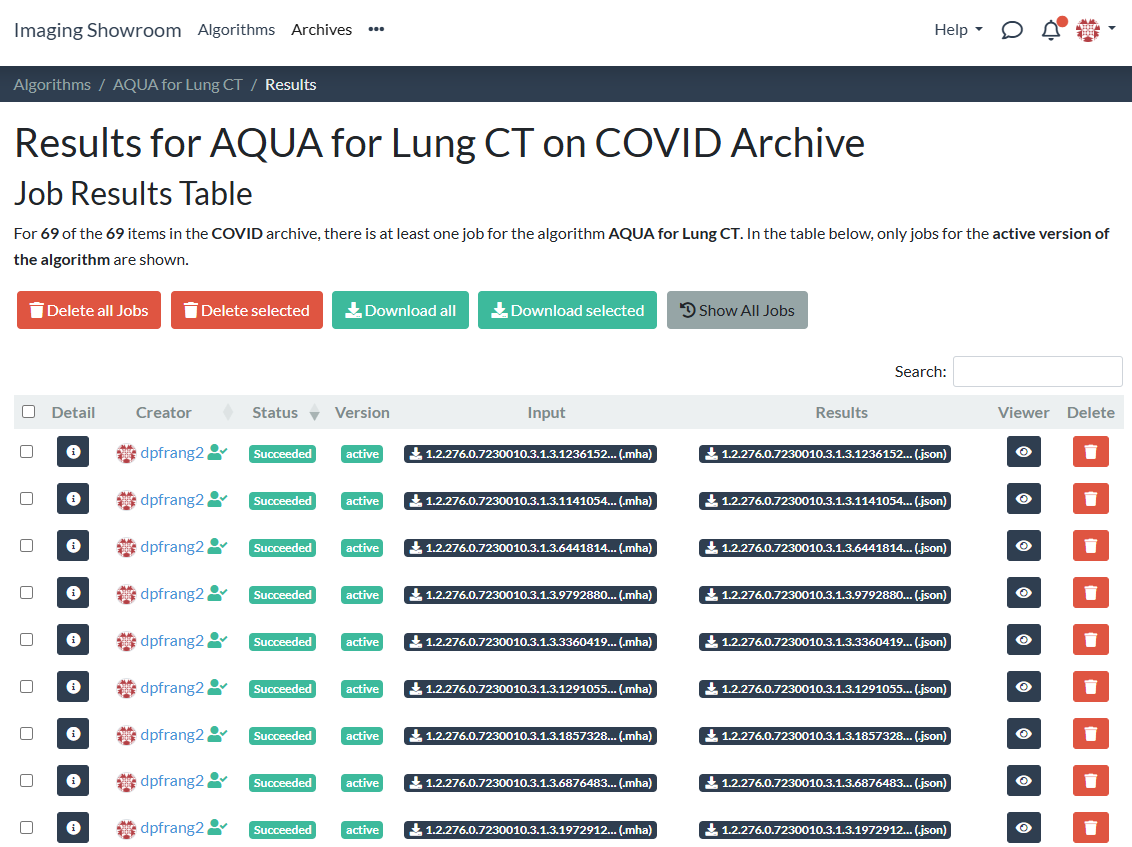
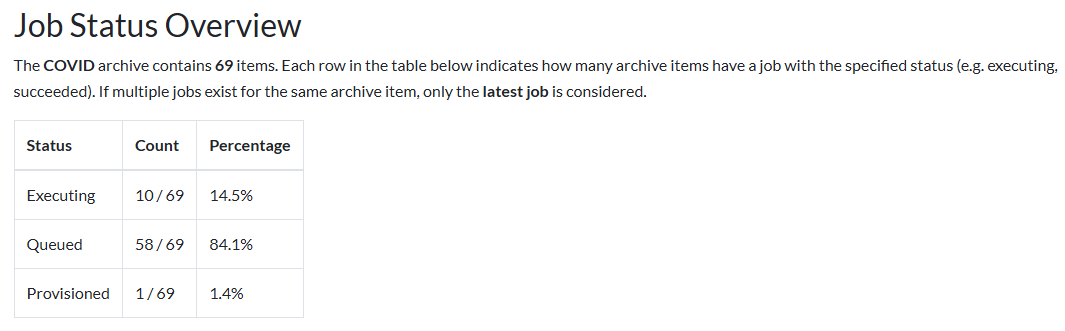
At the bottom of the archive algorithm results page, you see an overview table for the status of the jobs. At the beginning, usually all jobs will be queued:
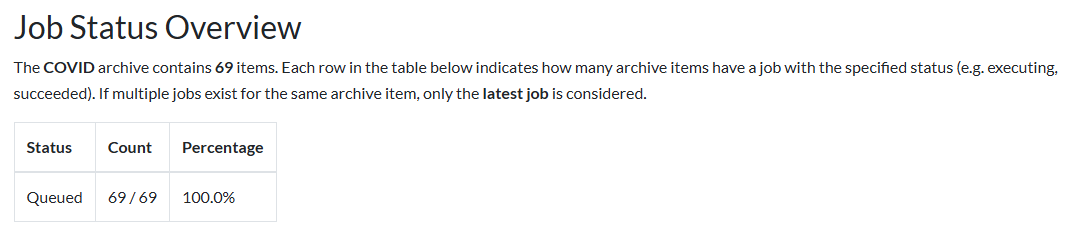
The table updates itself every few seconds to reflect the current status: